cool shit i found on the internet, vol. 1
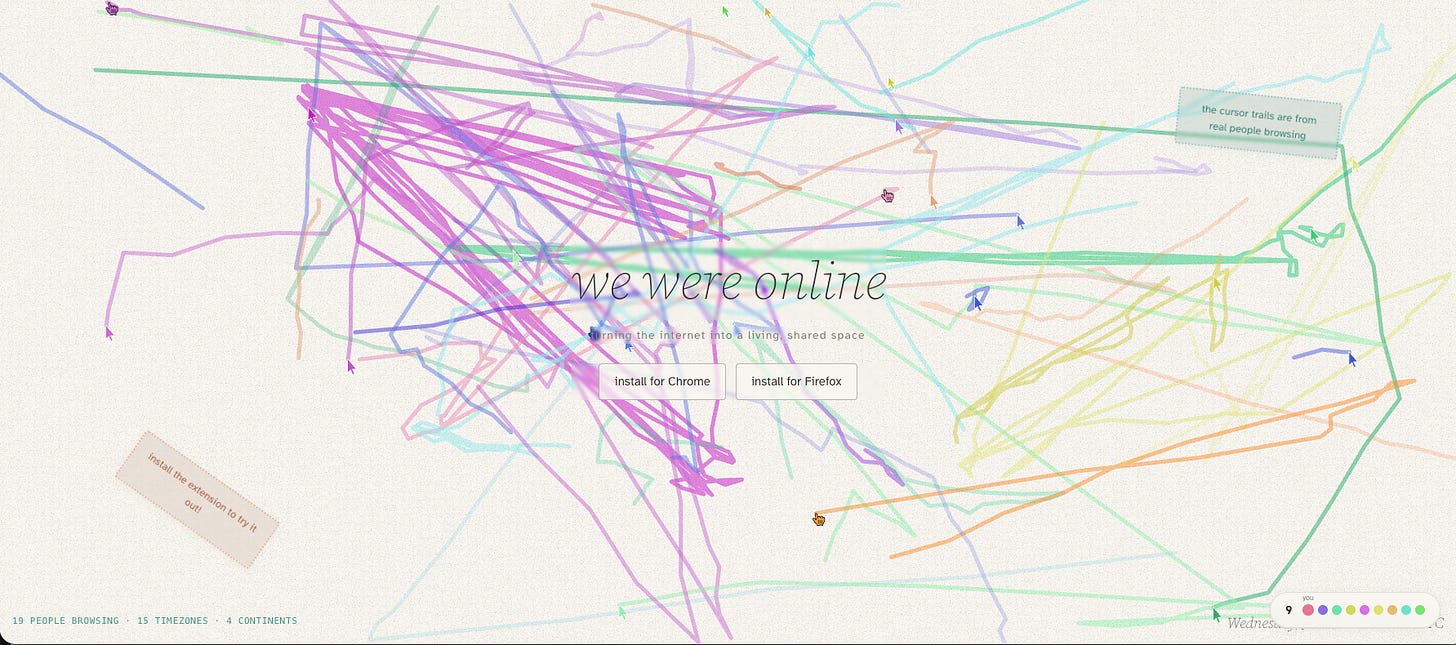
every thursday i’m expanding my horizons and learning about the cool shit people are making on the internet. in the spirit of showcasing cool stuff i found on the internet, this series is called cool shit i found on the internet. this is volume one. 1. we were online, by spencer chang wewere.online made a tool called wewere.online. the tool is all about turning the internet into a living, shared space. it’s basically a multiplayer discovery tool/ a multiplayer research tool. the thesis is that surfing wikipedia should feel the same as walking into a library and bumping into people. you go on wikipedia and you can tell which rabbit holes other people are going down. you leave trails, different color trails for different people who’ve visited the page. you can follow the same rabbit holes other people are on and see the other things they’re looking at. it’s a really playful way to discover other people’s interests. it’s a wholesome internet type vibe. it’s very easy to feel isolated and alone online. the internet is such a non-communal place because there are so many people on it. irony, i know. but this tool warms me. if somebody’s looking up something really interesting on wikipedia, you get to see the other interesting shit they’re looking at too. 2. soft, by jake dow-smith makes interactive projects, creative directs, and builds experiences that encourage exploration. this aligns with a lot of what algae is about: tools that make people’s lives easier and help people learn things. side note: while pulling this together i found out he made one of my favorite websites, lfe.org, los feliz engineering, (go check it out if you’ve never seen it)… alright back to scheduled programming. soft is a camera app that captures the rhythm of your environment using the analog sensors on your phone. color, saturation, and grain are all determined by the conditions around you. magnetic interference adjusts the textures. latitude and longitude change how your photos are taken. altitude changes the warmth. ambient sound levels change the focus and detail. air pressure changes the contrast and tone. location changes the vibrancy. it feels like a living artifact, which is what i like the most about it. the picture quality reminds me of film, which is interesting for a tool like this. it’s probably the coolest ios camera app i’ve ever seen. i suck at taking photos, but this is the kind of tool that will encourage me to take more of them. i can see myself using it quite a bit. 3. riffle studio riffle.studio and here is the third tool. it’s called riffle. i would describe it as a multiplayer browser-based web app daw. that is a mouthful. what i mean by that is, it’s like a more intuitive version of a daw (digital audio workstation), but you can work in real time with people. it also has what i’m calling smart sampling. they have a loop library, and it’s much easier to just grab a loop and match it to whatever beat or music you’re making. and it has a sous chef, which can be a sounding partner for your musical ideas, which is really dope. i haven’t had much time to play with it yet. i’ll probably do a session on it this week just for the sake of doing it. but i do like the idea of making a beat with a friend on facetime in real time, in the same session. it’s damn near like a swaggy google docs for musicians and it’s got every single piece of what you would want a daw to have: lyrics, images, you can mood board with it too. the design is really cool, and it’s very friendly to a first-timer. 4. tastefile, by algae last but not least, shameless self-plug: tastefile.org, a research tool we debuted yesterday. you drop in a board from are.na or cosmos (built on are.na’s new api). it reads the palettes, analyzes the photos on the board, and spits out a taste profile. the metaphor i keep using: it’s like taking a photo of a meal you love and getting that meal’s ingredients broken down into granular, bite-sized things. then you can do whatever you want with that. the whole thing spawned from a conversation about visual literacy. for me, the tool is about expanding visual literacy. learning the ways we can talk about the things we make, or the things we like. why we like it//identifying the specific things that make it cool to us. now more than ever, especially for designers and people making things, it matters to be able to talk about the work in granular detail. it’s a tool to close the gap between seeing and understanding, more or less. those are my four picks this week. thanks for reading. see you next thursday.